
Mobile app
Download the swapmyfunds app
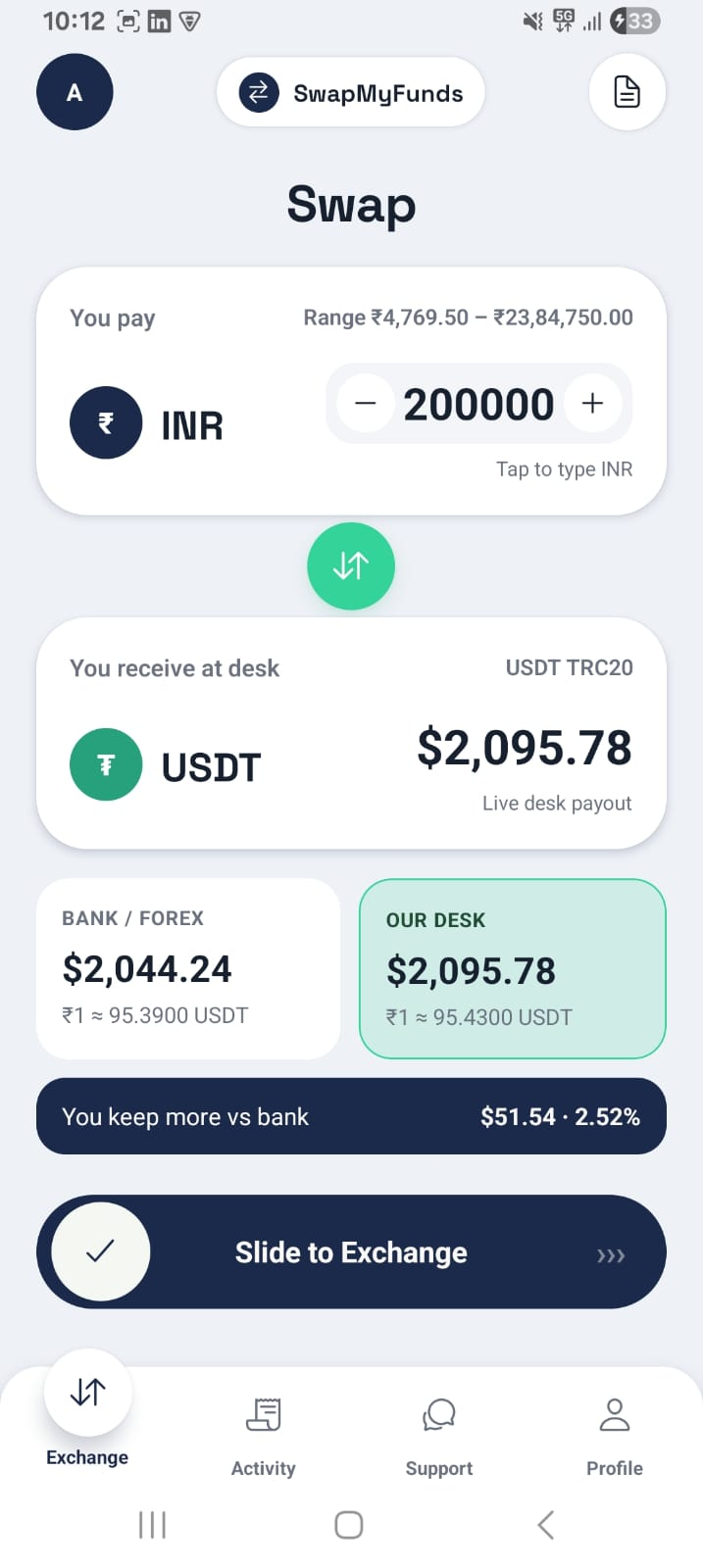
Check live rates, exchange, and track your payout status from your phone. The Android beta is ready to install right now — iOS is on the way.
APK file · v1.0.0 · ~27 MB · Android 8 and above
01 · Choose your platform
Android — beta APK ready to install
We're not on the Play Store yet, so the app installs directly from a downloaded file. It's the same app, just a manual install step.
Download APKiOS — TestFlight coming next
We're finishing App Store review requirements. Leave your details and we'll invite you to the TestFlight beta as soon as it opens.
02 · How to install
Four steps from download to signed in.
Download the APK
Tap the download button above. The file (swapmyfunds.apk, ~27 MB) will save to your phone's Downloads folder.
Allow installation
Open the file. Android will ask for permission to install from this source — tap Settings, then allow installs from your browser or file manager.
Install and open
Return to the file and tap Install. Once it finishes, open the app from your home screen.
Sign in and go
Sign in with your existing swapmyfunds account, or create one in seconds, and you're ready to check rates and exchange.
Why use the app
Live rates, always on
Rates refresh in real time so you always see the current buy and sell price.
Status notifications
Get notified the moment your exchange is approved or your payout is on the way.
Same account, more secure
Sign in with your existing credentials — protected the same way as on the web.
Questions about the app?
If the install doesn't go smoothly or you'd rather use the web app, our support team can help.